Write it your way.
Paste a reply, introduction or update. Give it a name and a shortcut you can remember.
A little less retyping
Turn the messages you write every day into reusable templates. Highlight what changes. Fill it once. Make it personal.
Local storage. No account. No AI API.
Fill the details
Your preview
Try the sample above. It stays in this page.
From an example to a reusable form
Start with words you already use. TypeFlow handles the repeated parts so you can focus on the person you're writing to.
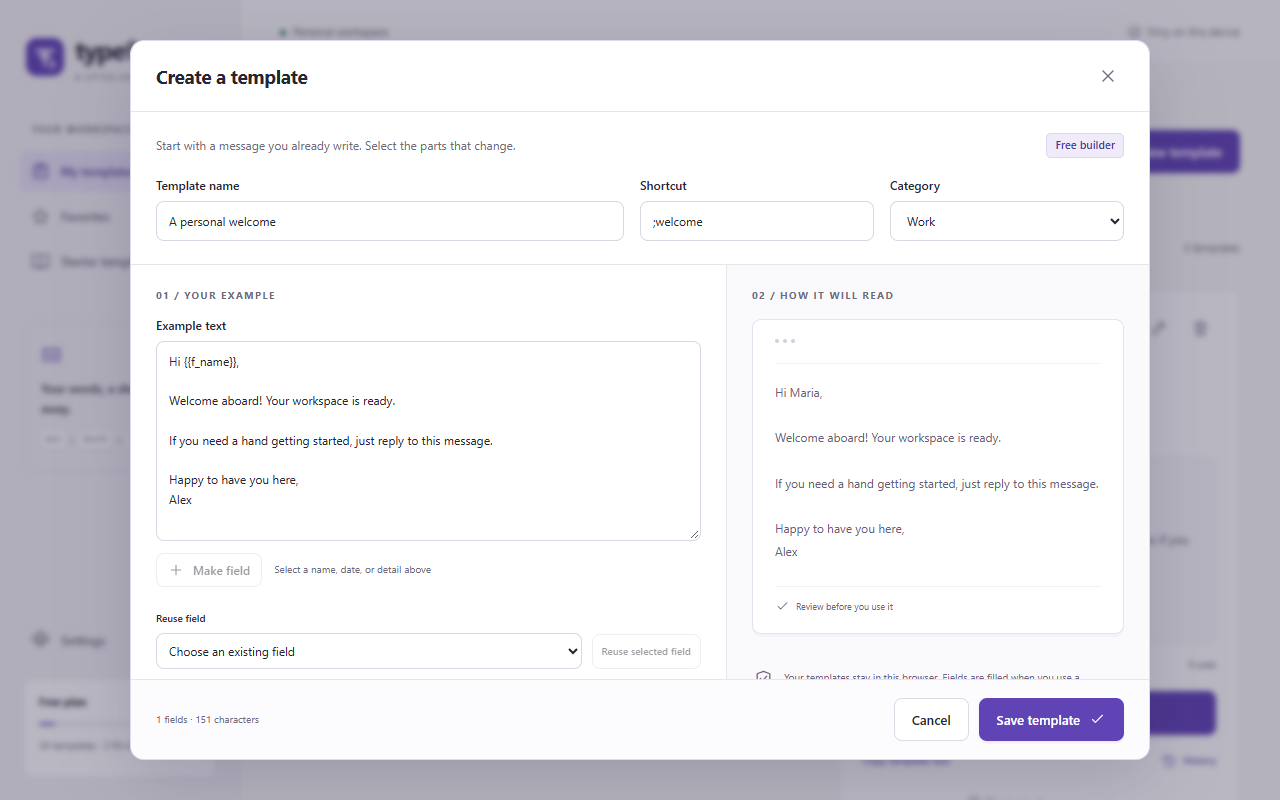
Paste a reply, introduction or update. Give it a name and a shortcut you can remember.
Select a name, project or phrase to make a field. Reuse that field wherever the same value belongs.
Enter the details and check the complete message. Copy it, or confirm insertion into a supported editor.
Built for ordinary writing
Follow-ups. Helpful answers. Meeting notes. Everyday messages. Keep them in one searchable library, with your favorites close by.
Explore the getting-started guide →30 original starter templates offer ideas for work, support, sales, education and personal writing. Add the ones you need.
On a site you enable, type your shortcut and press Space. A preview opens. Nothing goes into the editor until you choose Insert.
No server, account or cloud sync. Export a JSON backup to keep a copy or move to another Chrome profile.
Free 1.0.0
Start small and reuse often. This release is free and has no checkout. Advanced paid editions can be considered after real user feedback.
Direct insertion works in standard text inputs and text areas. For rich editors such as Gmail, copy the preview and paste manually.
Check editor compatibility →Your everyday toolkit
Good to know
Use Copy text and paste manually in Gmail's composer and other rich-text editors. Direct insertion in 1.0.0 supports top-level standard text inputs and text areas. See the full scope.
The Free extension has no server, analytics or AI service. Templates stay in your Chrome profile. You choose when to copy, export or insert. The destination website can access text you insert under its own policy. Read the privacy policy.
No. TypeFlow prepares the words and lets you review them. It never clicks Send or submits a form.
Export your JSON backup in Settings, then import it on the other Chrome profile. The explicit replacement option restores the backup as your library, while keeping a recovery copy of the previous library.
The store release is in preparation. The Free build is available for manual installation from this site. Official store installation and automatic updates will be linked here after approval. Read installation instructions.